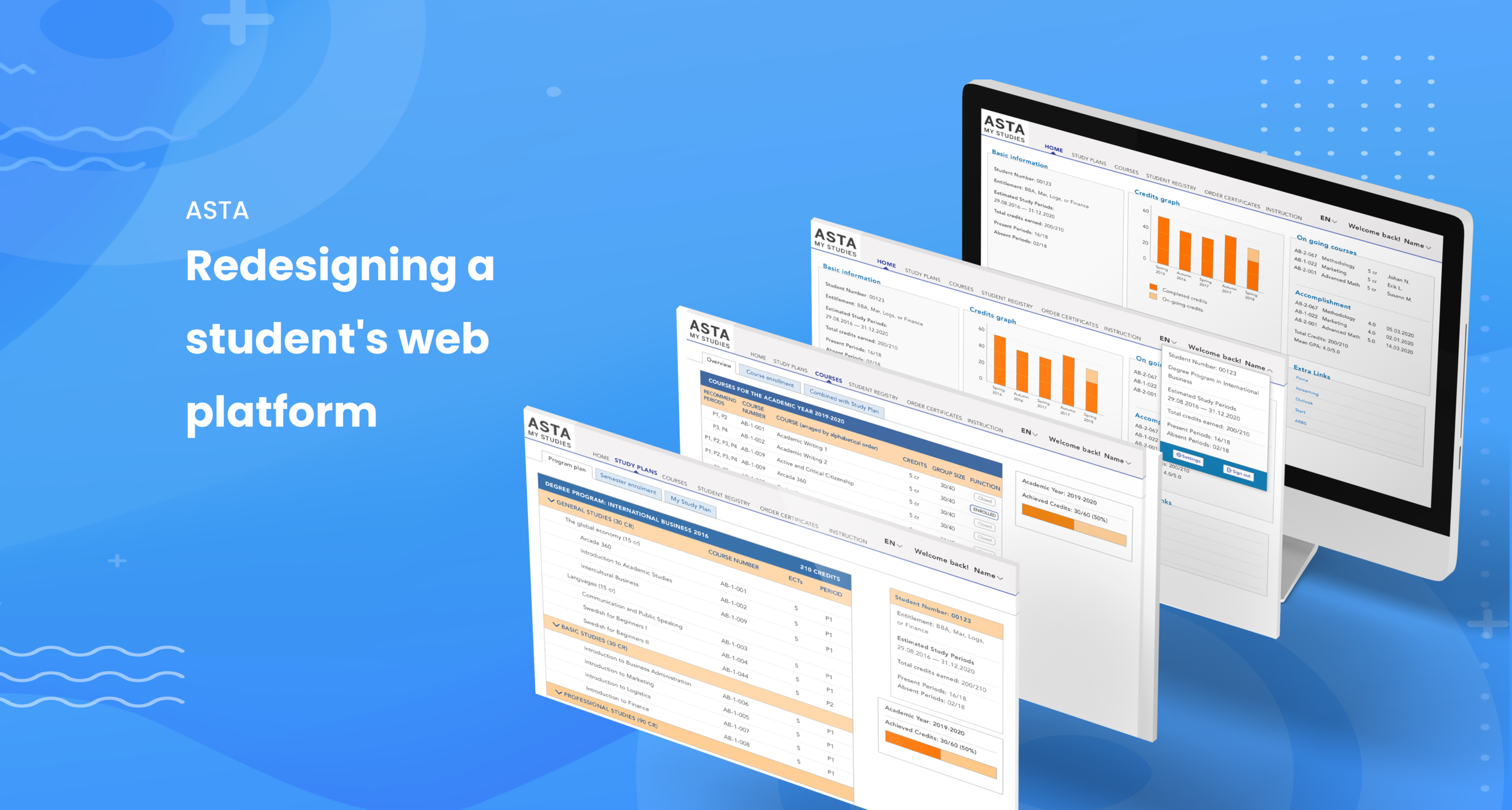
About the project
ASTA: A web-based tool for students of a local college to manage courses and program information.
This 2 months project involved theoretical research, user research planning, conducting and synthesizing qualitative user research as well as creating wireframing and mockup for the new web interface
Project goal: create a simple and visually pleasing student site that users enjoy using and can help them finish their tasks with the least time and effort spent!
RESPONSIBILITY
Planning research strategy
Conducting user interviews
Synthesizing research findings
Problem definition
Wireframe, interface design
Information architecture
TIMELINE
8 weeks from user research to the delivery of the final mockup
TOOL
Sketch
Adobe Photoshop
1. Outdated web portals make it difficult for students to manage, organize, and stay on track with their studies.
Students are not happy with the current digital tools
Student web portals assist student in their everyday studies, yet the web portal at a local university is not optimised, causing frustration in student users. The purpose is to:
Understand how students use the digital tool to support their study to identify unmet needs and opportunities.
Provide the school with a practical guide to implement design thinking and a sample mockup of the new website design.
With challenges comes opportunities
I have set out to improve the visual interface of the website with in-depth research to validate my design decisions. Students use the platform regularly to support their study work, keep track of their study progress and discover interesting courses. With so many information at hand, the product should be made with simple, intuitive and highly functional style.
The vision
This project is part of my bachelor's thesis research focusing on User Research and Interface Redesigned of my school's student platform. This proposal would ignite the school's interest in User-experience design and also created a good starting point for the school to improve its current web interface.
2. Finding the right people and ask the right question

”Registering for courses is quite confusing because there are many sections indicating where I can see the courses, but I cannot press or perform any action on those sections. And sometimes I got confused by the naming systems of the web. Takes me quite a few clicks back and forth to finally finish my task”
Map out the problems and decide which problems to solve

Empathy map: how Erik think, feel, do and say about the product
3. A complete heuristic analysis of the platform points to main issues in the Homepage and the Userflow.
Looking at design from a heuristic perspective
There are many problems to deal with, as it concerns not only directly with how people use the solution, but the product affects indirectly with people's moods, emotions and experience.
The Home Page had many information hierarchy problems that directly linked with accessibilty and usability of the website

4. Rebuilt the site architecture to elevate key features: courses, grades, and curriculum.
Keep the core functions but bring out the best of features
Based on interview feedbacks, it is clear that students want to be
Able to access their courses, grades and curriculum quickly with just a few clicks.
See and manage what they need to achieve for the academic year.
Help them feel more at ease and confident in managing their study load.
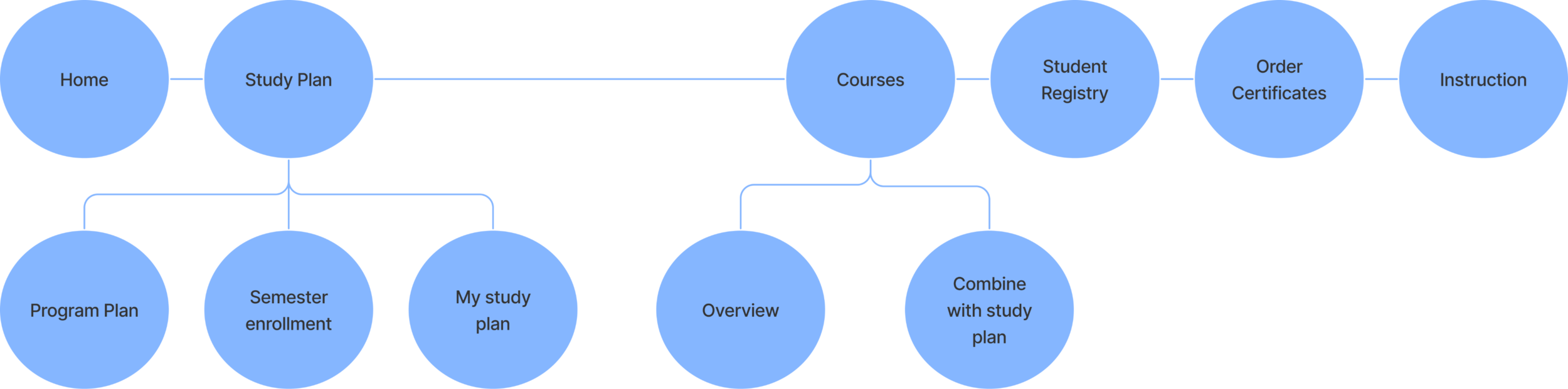
Key navigation point would be between Home, Study plan, Courses, Student Registry, Order Certificates and Instruction. Mostly, students can find more options further down Study Plan and Courses and see detailed information relating to their programs. More customisations can also be done on the Home Screen. This is a huge break through out of the existing flow as it clearly show the most important features that students need right at the navigation bar.
5. The wireframes focus on a minimal style while having key functions clearly laid out
Home page
Make information as clear and straightforward as possible
Add customization features without compromising functionality and efficiency.
Provide visual pleasantness with appropriate color and type font
User Flow
Minimise the number of page layers and number of page click-throughs

6. Embracing existing brand colour and typography

Erik needs to register for his upcoming semester. He logged in to the new version of ASTA. Let's see how the redesign looks through his eyes!
“Ah! It is so easy to access more on my personal profile. And the page is not so crowded. I can see clearly each information” - Erik
"Let's see my study plans. All of the courses that I need to take is here!. The tab menu clearly seperate the plan for the current semester or the my whole study plan. I can see the course information and which period to take. It's also good to have my personal information on the side to remind me of my full program and my own progress." - Erik

What did I learn?
PROJECT'S GOAL ACHIEVED
Research revealed that just because something already worked doesn't mean it can't be improved, people always love a good and clear visual layout.
LEARNING
In hindsight, I was quite happy with the result and satisfied with the fact that my proposal got a 5/5 mark. This project would provide even more benefits if it was given usability tests with a large student audience. But due to the constraints of the thesis project and the lack of resources, I stopped at the redesign of the visual website. So it was a smart move to venture out and ask the users what they think and feel, rather than working based on my own assumptions. The learnings tremendously helped shape the overall design practice, many valuable findings were only discovered from interacting with the users.
WHAT'S NEXT?
This project helped the school identify a clear opportunity for an update for one of its' most used tools to better improve the student's satisfaction and study efficiency as well as the school's overall image.
